> ## Documentation Index
> Fetch the complete documentation index at: https://docs.campaigncleaner.com/llms.txt
> Use this file to discover all available pages before exploring further.
# HTML Entities
> Using HTML entities in emails helps avoid display issues, rendering problems, and security risks, ensuring your content appears as intended across clients.
## Automatic Conversions
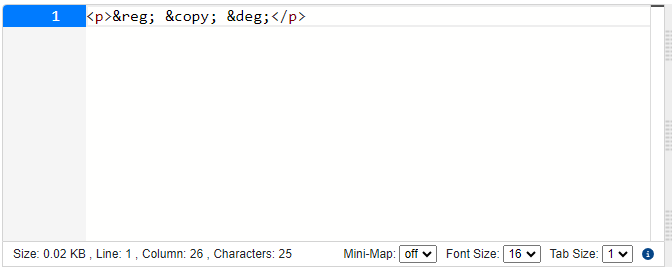
Campaign Cleaner will automatically convert non-ascii symbols into their HTML Entities. For example.
1. * Registered Trademark Symbol (®)
* HTML Entity: `®`;
2. * Copyright Symbol (©)
* HTML Entity: `©`;
3. * Degree Symbol (°)
* HTML Entity: `°`;
I added the Symbols below into campaign cleaner.
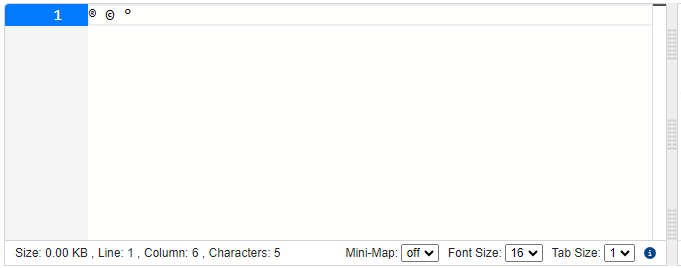 Pressing `Clean Campaign` will trigger the conversion. The conversion can also take place when other functionality is used as well.